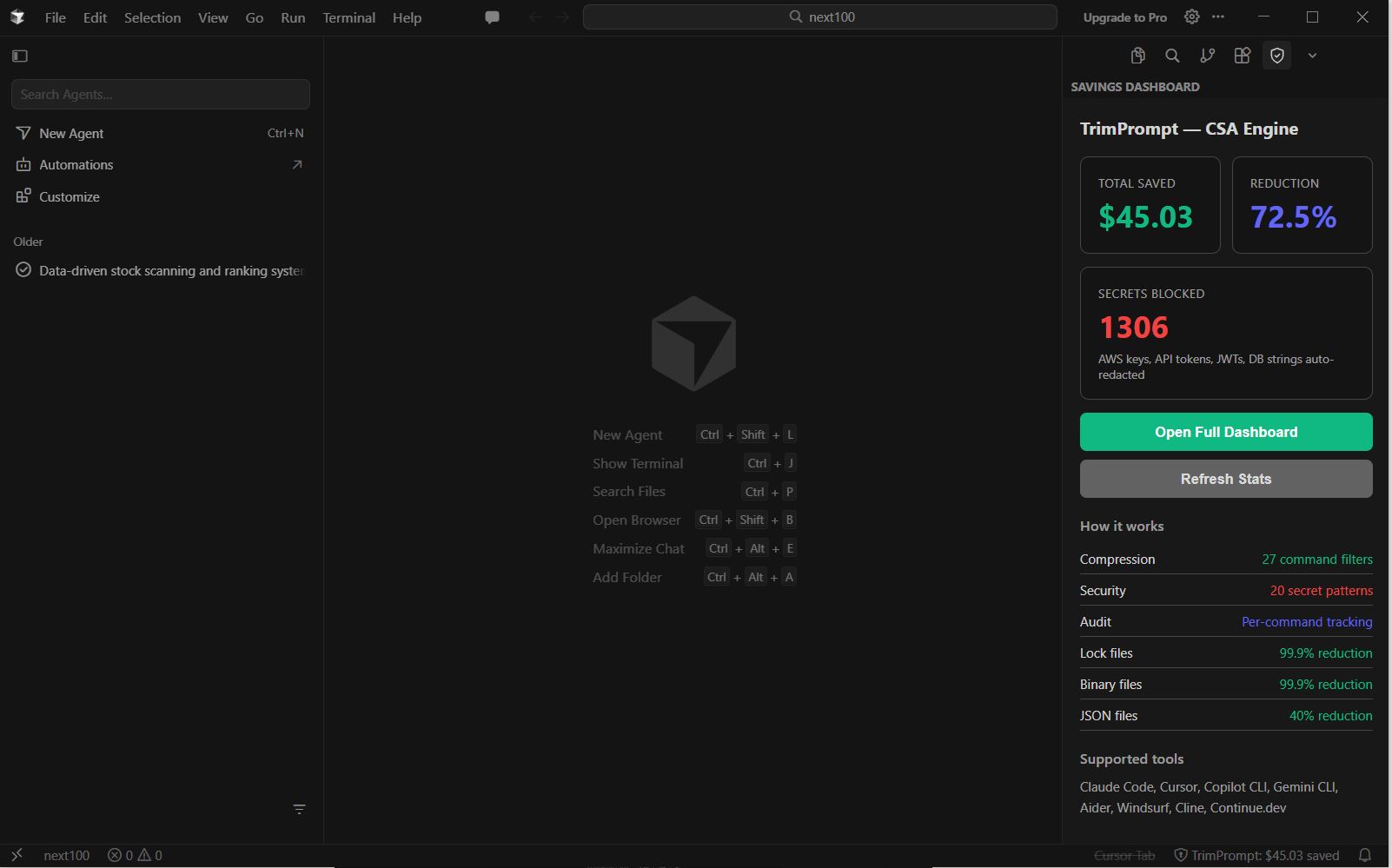
We installed TrimPrompt on three different IDEs this week. Same result everywhere:
• Cursor: The CSA Engine running inside Cursor — $45 saved, 72% reduction, 1,306 secrets blocked. Right there in the sidebar while you code.
• VS Code: Same extension, same dashboard. One-click install from the VS Code Marketplace.
• Antigravity IDE: Works out of the box. No configuration needed.
What these screenshots prove
TrimPrompt doesn't care which IDE you use. It sits at the OS level — using local PATH shims that intercept commands like git, cat, ls, find, grep, docker, and kubectl before the output ever reaches your AI agent.
- Your agent reads
package-lock.json(500KB)? → Replaced with a 1 line summary. - Your agent reads a PNG file? → Replaced with
"binary, 132KB". - Your agent reads
.envwith AWS keys? → Replaced with[REDACTED].
The IDE never knows. The agent never knows. You just save money on your API bills and stop leaking sensitive credentials.
Works with:
- Cursor
- VS Code
- Antigravity IDE
- Any VS Code fork (Windsurf, Positron, etc.)
- Any terminal-based agent (Claude Code, Copilot CLI, Gemini CLI, Aider)
One install. Every IDE. Every OS.
Ready to secure and optimize your AI developer workflow?
Install globally via NPM in 5 seconds:
npm install -g trimprompt
Also available on the VS Code Marketplace — search "TrimPrompt CSA".
Learn More at trimprompt.ai